Last reviewed: September 30, 2026. Prices, plan rules and power figures below were rechecked against Starlink's service plans page and Starlink's hardware specifications. What changed since our July update: Roam 100GB and 300GB are now domestic-only (US, Canada and US territories count as one region), Standby Mode costs $10/month, and a 2026 Mini firmware update cut typical power draw to roughly 17–20W.
Why Starlink for semi trucks beats every other option for truckers
Starlink for semi trucks solves a problem cellular hotspots never could: reliable connectivity in the dead zones where you spend most of your driving hours. A Starlink Mini in the cab delivers real broadband across Wyoming, Montana, and West Texas — the exact stretches where a hotspot gives you miles of nothing: no streaming, no video calls home, no reliable ELD connectivity. That is why it has become the default satellite internet for truck drivers running long rural routes in 2026.
The Starlink Mini changed the equation for Class 8 drivers. At 2.5 lbs with native 12V power, it was practically designed for a semi truck cab. Magnetic mount on the roof, cable routed through a rear cab vent, and you have satellite internet at highway speed — no inverter, no roof penetrations, and nothing permanent to explain to your fleet manager.
Truckers on forums and subreddits report 100–200 Mbps parked and roughly 50–100 Mbps at highway speed, with about 98% uptime on open interstate. That is fast enough for 4K streaming on a 34-hour reset and stable enough for video calls with family between loads.
This guide covers the complete starlink semi truck setup — not RVers, not van lifers, not boaters. You will find Class 8-specific mounting advice, power calculations for truck electrical systems, and a cellular failover setup that keeps you connected through every dead zone and fuel island canopy on your route. Whether you are researching satellite internet for truck drivers for the first time or upgrading from a cellular-only setup, this is the best internet for truck drivers who run long rural routes — and everything you need to set it up is here.
Is Starlink the best satellite internet for truck drivers?
Yes — for over-the-road drivers who run rural and cross-country routes, Starlink is the best satellite internet for truck drivers available in 2026. No cellular carrier matches its coverage on the open interstate, where it delivers roughly 98% uptime and 50–100 Mbps at highway speed. The reason is simple: cell signal depends on nearby towers, and satellite internet for truck drivers works anywhere with a clear view of the sky.
Here is the honest tradeoff. Starlink wins decisively on the long rural miles between cities — the Great Plains, the mountain West, the empty interstate corridors where a hotspot drops to a single bar or nothing. Cellular still wins inside dense metros and under fuel-island canopies. The strongest setup pairs both with an automatic failover router so you are never offline. If you run mostly metro freight, compare the two in our Starlink vs T-Mobile for mobile internet breakdown before committing.
For drivers who also camp or boondock on resets, the same Mini hardware carries over to off-grid use — see our Starlink for overlanding guide. And if you want to estimate your monthly consumption before picking a plan, our Starlink data usage breakdown shows exactly how many gigabytes streaming, video calls, and navigation burn on the road.
Best satellite internet for semi trucks: which Starlink hardware to pick
The Starlink Mini is the consensus pick among OTR drivers, and the numbers back it up. Here is how the three in-motion-capable dishes Starlink currently sells compare for semi truck use.
| Feature | Starlink Mini | Standard Gen 3 | Performance (Gen 3) |
|---|---|---|---|
| Price | $199 (sale) / $249 list | $349 | $1,999 |
| Weight | ~2.5 lbs | ~6 lbs | 11.5 lbs |
| Power draw | 20–40W average (15W idle) | 75–100W | ~70W average |
| 12V DC native | Yes (12–48V) | No (needs inverter) | Yes (12–56V DC via its power supply) |
| WiFi | WiFi 5 (built in) | WiFi 6 | No built-in router (add a Gen 3 router or your own) |
| Field of view | 110° | 110° | 140° |
| Best for | Most truckers | Drivers wanting WiFi 6 | Maximum reliability |
Why the Mini wins for truckers
In short: the Mini eliminates complexity. It runs directly on your truck's 12V system without an inverter, and it has the WiFi router built into the dish, so there is no separate box to find a home for in a crowded cab. At about 2.5 lbs, a magnetic mount holds it on a steel cab roof at highway speed.
Power is the other big win. Starlink rates the Mini at 20–40W, and field measurements after the early-2026 firmware update show about 17–20W in steady use, with a startup spike near 60W while it acquires satellites (power data summarized by Anker SOLIX). That is a rounding error against a Class 8 alternator. At $199 on sale ($249 list), it is also the cheapest way into in-motion satellite internet. Our Mini firmware update guide covers what each update changed.
Some drivers report a faint buzzing noise when running the Mini at 12V that disappears at 24V. If you experience this, a DC-DC step-up converter ($15–$25) resolves it. Most drivers on standard 12V truck electrical systems report no issues.
When to consider the Standard Gen 3 or Performance (Gen 3)
The Standard Gen 3 makes sense if you want WiFi 6 for connecting more devices — a laptop, phone, tablet, and smart TV simultaneously. SpaceX cut the Standard Gen 3 kit to $349 in 2026, so the price gap with the Mini has narrowed. It still costs more, weighs more, and requires an inverter, but the WiFi 6 radio handles multiple streams better than the Mini's WiFi 5.
The Performance (Gen 3) kit is overkill for most truckers. It replaced the old Flat High Performance dish (which Starlink renamed Performance Gen 2), keeps the same 140-degree field of view that reduces dropouts on tree-lined roads, and adds an IP69K rating and a power supply that takes 12–56V DC, according to the Mobile Internet Resource Center's launch coverage. At $1,999 and about 70W average draw, though, the cost-to-benefit ratio only makes sense for team drivers who need continuous connectivity or owner-operators running in-cab businesses. If you already run a Flat High Performance, it still works; it is just no longer the current model.
For a detailed walkthrough of Mini installation, see our complete Starlink Mini setup guide.
Starlink for semi trucks price: plans and monthly cost for OTR drivers
Starlink for semi trucks costs $55 to $175 per month depending on the Roam tier you pick, plus $199 for the Starlink Mini hardware ($249 list). Every consumer Starlink plan that supports in-motion use falls under the Roam tier — making Starlink Roam trucking's most popular satellite internet option. Monthly prices have not moved since the May 2026 restructuring, and they are current as of September 30, 2026. According to Starlink's official service plans page and pricing tracked by the Mobile Internet Resource Center, here is what each plan now offers.
| Plan | Monthly cost | Data included | After the cap | In-motion | Mexico runs |
|---|---|---|---|---|---|
| Roam 100 GB | $55 | 100 GB | Basic access (under 1 Mbps) | Yes, up to 100 MPH | No |
| Roam 300 GB | $80 | 300 GB | Basic access (under 1 Mbps) | Yes, up to 100 MPH | No |
| Roam Unlimited | $175 | Unlimited | N/A | Yes, up to 100 MPH | Yes, 30 days per trip |
Three 2026 changes matter for truckers:
- In-motion speed cap is 100 MPH on all Roam plans, down from 450 MPH. Irrelevant for a Class 8 truck, but worth knowing.
- Standby Mode costs $10/month and does not work in motion. You can park your plan during home time, but you cannot pause it and still drive online.
- Roam 100GB and 300GB went domestic-only on July 14, 2026 (August 17 for existing customers). The US, Canada and US territories count as one home region, so US-Canada freight works on any Roam plan. Cross-border runs into Mexico need Roam Unlimited, which allows up to 30 days abroad per trip. Our Canada snowbird guide covers the border-crossing details.
Which plan fits your driving life
Light users (ELD, navigation, music, messaging): Starlink retired the old $10 Roam 10 GB tier, so Roam 100 GB at $55/month is now the entry point. ELD devices use under 1 GB/month, and navigation plus music streaming add only 2–4 GB on a heavy driving month — you will barely touch the cap.
Moderate users (streaming, video calls, browsing): The Roam 100 GB plan at $55/month is the sweet spot for most OTR drivers. Video calls consume 1–2 GB/hour, and standard-definition streaming uses about 1 GB/hour. Even with daily video calls home and evening streaming, most drivers stay well under 100 GB.
Heavy users (4K streaming, hotspot for team, continuous use): The new Roam 300 GB plan at $80/month is the better-value middle option if you stream regularly or share with a co-driver. Step up to Roam Unlimited at $175/month only if you stream in 4K (3–7 GB/hour) daily or use Starlink as your sole internet source with no cellular backup.
What Starlink for semi trucks actually costs in year one
Here is the all-in first-year cost for a semi truck, hardware included, so you can compare it against your current hotspot bill.
| Setup | Hardware | Monthly plan | Year-one total |
|---|---|---|---|
| Mini + Roam 100 GB (most drivers) | $199 | $55 | $859 |
| Mini + Roam 300 GB (streamers, team drivers) | $199 | $80 | $1,159 |
| Mini + Roam Unlimited (4K, sole connection) | $199 | $175 | $2,299 |
| Mini + Roam 100 GB + magnetic mount | $199 + $30 | $55 | $889 |
| Mini + Roam 100 GB + Puli AX failover router | $199 + ~$420 | $55 + ~$40 SIM | $1,759 |
The bottom line: start with the Mini and Roam 100 GB at $55/month — about $72/month all-in across your first year. You can switch plans anytime through the Starlink app with no penalty, so move up to the 300 GB or Unlimited tier based on actual usage after your first month.
For a deeper comparison of all plan tiers, read our guide to choosing the right Starlink plan and our breakdown of 2026 Roam vs Residential pricing. If you are timing your purchase, Starlink Black Friday deals are historically the only time Mini hardware drops below its usual $199 sale price.
How to mount Starlink on a semi truck cab
The fastest way to mount Starlink on a semi truck is a magnetic roof mount on the metal cab — no drilling, no adhesive, and removable in under two minutes. Mounting on a Class 8 cab is different from an RV. You are working with a steel or aluminum roof, limited cab space, an exhaust stack and air deflector fighting you for placement, and — if it is a company truck — zero tolerance for permanent modifications.
Two things matter more on a semi truck than on any other vehicle. First, wind load: at 70 MPH with a crosswind, a poorly placed dish becomes a lever, so keep it low and behind the deflector rather than out on the leading edge. Second, cab flex: a Class 8 sleeper twists noticeably over rough pavement, which rules out any rigid bracket spanning two mounting points. Both proven approaches below account for these.
Magnetic mount (company trucks and lease operators)
A magnetic mount is the go-to for any driver who does not own the truck. Strong neodymium magnets grip the metal cab roof, and the entire setup removes in under two minutes.
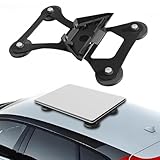
Lymorexan Magnetic Roof Mount (Mini)
Magnetic Mount
$39.98
Amazon price when we checked on Oct 9, 2026
Check today's price on Amazon(opens Amazon in a new tab)Installation steps:
- Clean the cab roof area with isopropyl alcohol to remove road grime
- Place the magnetic mount centered on the cab roof, behind the exhaust stack if possible to reduce wind exposure
- Set the Mini dish on the mount — it clicks into the standard Starlink mounting plate
- Route the cable down the rear of the cab and through a rear vent or window seal
- Secure excess cable inside the cab with adhesive cable clips
Truckers on forums report the 2.5 lb Mini staying put on a magnetic mount at interstate speed, but treat that as a floor, not a guarantee. Starlink's own installation guidance says any in-motion install must be firmly secured to a structurally sound surface, and it does not certify third-party magnetic mounts. Two cheap habits close the gap:
- Add a safety tether. A short steel cable from the mount to a grab handle or cab fitting keeps a dislodged dish from becoming road debris.
- Check it at every pre-trip. Wipe grit from under the magnets and confirm the pad sits flat. Check more often in high-wind corridors like I-80 through Wyoming and the Great Plains.
Hitch pole mount (owner-operators)
If you own your truck and have a 2 in receiver fitted behind the cab — on a headache rack, a deck plate, or a custom frame bracket — a dedicated hitch pole mount is more rigid than the multi-purpose brackets and takes a Gen 3 without flexing.

EEZ RV Starlink Hitch Pole Mount
Hitch Mount
$75.00
Amazon price when we checked on Oct 9, 2026
Check today's price on Amazon(opens Amazon in a new tab)This mount works well for drivers who want the dish behind the cab at roofline height rather than on top. It keeps the cab roof clean and positions the dish where you can reach it from the ground for cleaning or repositioning.
The tradeoff is sky view. A dish behind the cab sits in the shadow of the sleeper on one side and the trailer nose on the other, so it sees less sky than a roof mount. Raise the pole until the dish face clears the top of the fairing, and keep it clear of the fifth wheel's swing path when you hook and drop. Most company drivers never need this option; it suits owner-operators who want a permanent, bolted setup.
Cable routing tips for semi trucks
The most popular cable routing method among truckers is through the rear cab vent. Most Class 8 cabs have ventilation openings at the rear corners. Feed the Mini's thin DC power cable through the vent louvers — no drilling required. If your cab lacks rear vents, route the cable through the rubber door or window seal at the rear sleeper. The Mini cable is thin enough that most seals close around it; if you run a Standard Gen 3 with its thicker cable, a flat window pass-through keeps the seal weather-tight.
Leave a small drip loop where the cable enters the cab so rain runs off the low point instead of following the cable inside. Keep the run away from the exhaust stack and the air lines at the back of the cab, and clip it every 12–18 inches so it cannot chafe against the fairing at highway speed. The Mini ships with a 15 m (about 49 ft) cable, which is more than enough for any Class 8 cab; coil the excess in the sleeper rather than cutting anything. Our Starlink cable routing guide covers grommets and weatherproof entry points in more detail.
For more mounting ideas that avoid permanent modifications, check out our no-drill mounting options guide.
Powering Starlink from your truck's 12V system
The Starlink Mini runs natively on 12–48V DC. Starlink rates it at 20–40W, and current field measurements put typical draw at about 17–20W, so an 8-hour sleeper berth costs roughly 150–320 Wh from your batteries. Here is the power math so you know exactly what you are working with.
Power consumption breakdown
| Scenario | Mini draw | Duration | Total energy |
|---|---|---|---|
| Driving (engine on) | 17–40W | 11 hrs | 190–440 Wh (alternator covers it) |
| Sleeper (engine off) | 17–40W | 8 hrs | 135–320 Wh |
| 34-hour reset (engine off) | 17–40W | 34 hrs | 580–1,360 Wh |
| Startup / satellite search | Up to ~60W | 1–2 min | Negligible |
For context, a typical semi truck battery bank is 3–4 Group 31 batteries at roughly 100–125 Ah each, or 300–500 Ah at 12V (about 3,600–6,000 Wh nameplate). Flooded and AGM batteries should not be drained below about 50%, so plan on roughly 1,800–3,000 Wh of usable energy. An overnight sleeper shift uses about 5–15% of that — comfortable. A full 34-hour reset on batteries alone is not, so run an APU, idle, or switch to a portable power station for long resets.
Wiring the Mini directly to 12V
The Mini accepts 12–48V DC input. To wire it directly:
- Tap into an always-on 12V circuit or wire directly to the battery bank through a fuse panel
- Use a 5A inline fuse on the positive wire for protection (at 12V, a 60W startup spike pulls about 5A, so size up to 7.5A if the fuse blows on boot)
- Keep wire runs under 15 feet to minimize voltage drop — use 14 AWG or thicker
- Ground to the chassis at a clean, rust-free bolt point
If you experience the buzzing that some drivers report at 12V, a small DC-DC boost converter stepping the voltage up to 24V eliminates it. This is a $15–$25 fix from Amazon.
Portable power station alternative
If you do not want to touch your truck's wiring — or if you run a Standard Gen 3 that needs AC power — a portable power station keeps things simple.

Anker SOLIX C300 (288 Wh)
Power Station
$329.99
Amazon price when we checked on Oct 9, 2026
Check today's price on Amazon(opens Amazon in a new tab)The Anker SOLIX C300 stores 288 Wh (LiFePO4), which runs the Mini for roughly 6–12 hours depending on draw, or about 8–9 hours at a typical 28W planning figure (288 Wh × 0.85 ÷ 28W). That covers most of a 10-hour break. It replaces the discontinued Jackery Explorer 300 Plus in this slot. Plug it into your cab's 12V outlet while driving to recharge, and you have a self-sustaining power loop that never touches your starting batteries.
For heavier dishes or longer off-engine runtime:

Jackery Explorer 1000 v2 (1,070 Wh)
Power Station
$559.00
Amazon price when we checked on Oct 9, 2026
Check today's price on Amazon(opens Amazon in a new tab)The Jackery Explorer 1000 v2 holds 1,070 Wh, enough for about 31–33 hours parked with the Mini or roughly 9–12 hours of a Standard Gen 3 through its AC outlet. It takes over from the discontinued EcoFlow RIVER 2 Pro (768 Wh). A power station also makes the setup portable between trucks: unplug one cable and the whole kit moves with you. Compare more units in our portable power stations for Starlink roundup, and see our off-grid Mini power guide for USB-C PD options.
For a complete walkthrough of 12V wiring for Starlink, see our guide to powering Starlink from a 12V system.
Setting up automatic cellular failover
A dual-WAN router with a built-in cellular modem, like the GL.iNet Puli AX, automatically switches between Starlink and cellular within seconds, giving you uninterrupted connectivity on every mile. Starlink covers roughly 98% of highway miles, but that remaining 2% — fuel island canopies, dense urban corridors, heavy tree cover, tunnels — happens at exactly the moments you need connectivity most. When Starlink reconnects, the router switches back automatically.
The GL.iNet Puli AX: top pick for truckers
GL.iNet GL-XE3000 Puli AX 5G Router (dual SIM, 6400mAh)
Mobile Hotspot
A standalone cellular gateway with its own antennas, dual SIM slots and a 6,400mAh battery - it does the job of a mobile hotspot without draining your phone, and adds dual-WAN failover a hotspot cannot.
$390 – $460
Amazon price when we checked on Oct 9, 2026
Check today's price on Amazon(opens Amazon in a new tab)The GL.iNet Puli AX (GL-XE3000) is the standout router for this use case. It has a built-in 5G modem with dual SIM slots, an Ethernet WAN port for Starlink, and automatic failover between the two. Its built-in 6,400mAh battery rides through brief power interruptions in the cab, and its antennas are internal, so there is nothing extra to mount. It replaces the GL.iNet Spitz AX, which is no longer available on Amazon, and sells for about $390–460.
Setup overview:
- Connect Starlink to the Puli AX's WAN Ethernet port
- Insert a SIM card from your cellular provider into one of the Puli AX's SIM slots
- Set WAN priority: Starlink as primary, cellular as failover
- Configure failover detection to ping every few seconds so the switchover happens quickly
- Connect all your devices to the Puli AX's WiFi network instead of connecting directly to Starlink
The result: your devices see one consistent WiFi network. The router handles the switching silently behind the scenes. Video calls survive Starlink dropouts without you noticing.
Budget alternative: GL.iNet Slate AX
If you do not need built-in cellular and already have a phone hotspot you can tether, the Slate AX is a simpler option.

GL.iNet GL-AXT1800 Slate AX
Travel Router
$119.99
Amazon price when we checked on Oct 9, 2026
Check today's price on Amazon(opens Amazon in a new tab)Connect Starlink via Ethernet and your phone hotspot via WiFi repeater mode or USB tethering. The Slate AX handles failover between the two. It lacks a built-in cellular modem, so switching to your phone is slightly slower and less automatic, but it costs less and is smaller.
One Mini-specific note: the Mini's single latching Ethernet LAN port ships sealed by the Starlink Plug with no cable in the box, so you need the Mini Starlink cable (sold separately), a standard Ethernet cable (which gives up the IP67 rating), or you connect the router to the Mini's WiFi as a wireless WAN. Wired is more reliable at highway speed. The Slate AX also runs on USB-C power, so it can share the same power station as the dish. If you are weighing GL.iNet against a commercial-grade router, our Peplink vs GL.iNet failover comparison breaks down when the extra cost of Peplink makes sense for owner-operators.
For a deeper look at how Starlink stacks up against cellular on its own, read our Starlink vs cellular hotspot comparison and our full Starlink cellular failover setup guide.
Boosting the cellular side
Failover only helps if there is cellular signal to fail over to, and the stretches where Starlink drops out — fuel island canopies, tight urban canyons, mountain passes — are frequently the same stretches where your phone shows one bar.

weBoost Drive Reach OTR Cell Signal Booster
Cell Booster
The best-rated weBoost for a tall vehicle, and the honest answer to what you use when the sky is blocked. Boosts all US carriers so your cellular failover actually has signal to fail over to.
$519.99
Amazon price when we checked on Oct 9, 2026
Check today's price on Amazon(opens Amazon in a new tab)The Drive Reach OTR is built specifically for Class 8 trucks: the antenna mounts to a mirror arm or a pole on the cab, high enough to clear the trailer, and it boosts all US carriers at once so it helps whichever SIM your router is using. At 4.3 stars across nearly a thousand reviews it is the best-rated unit weBoost makes for a tall vehicle.
It will not create signal from nothing — no booster will — but on the rural interstate miles where you have marginal service rather than zero, it is what turns an unusable connection into a working one. Our weBoost vs Starlink comparison explains when a booster alone is enough and when you still need the dish.
Real-world speeds and what to expect on the road
Based on trucker forum reports and community speed tests as of early 2026, the Starlink Mini delivers 50–200 Mbps depending on whether you are parked or driving. Here is the full breakdown by condition.
| Condition | Download speed | Upload speed | Latency | Uptime |
|---|---|---|---|---|
| Open interstate (parked) | 100–200 Mbps | 10–30 Mbps | 20–30 ms | 99%+ |
| Open interstate (65+ MPH) | 50–100 Mbps | 3–20 Mbps | 20–40 ms | ~98% |
| Tree-lined highway | 30–80 Mbps | 3–10 Mbps | 25–50 ms | ~90% |
| Urban/downtown | 40–120 Mbps | 5–15 Mbps | 20–35 ms | ~85% |
| Fuel island (under canopy) | 0 Mbps | 0 Mbps | N/A | 0% |
| Truck stop (open sky) | 100–200 Mbps | 10–30 Mbps | 20–30 ms | 99%+ |
What the numbers mean for your daily activities
- ELD compliance: Under 1 GB/month. Negligible against any Roam plan's data allowance.
- Music and podcast streaming: 50–150 MB/hour. No interruptions on open highway.
- Video calls (Zoom, FaceTime): 1–2 GB/hour. Stable when parked. Brief freeze-frames possible in motion under tree cover — cellular failover eliminates this.
- Standard-definition streaming (Netflix, YouTube): 1 GB/hour. Smooth when parked. Minor buffering possible in motion.
- 4K streaming: 3–7 GB/hour. Only practical when parked with a strong signal. Use standard definition in motion to avoid buffering.
Known problem spots
Fuel island canopies block the signal completely — there is no fix for this since the metal roof above you blocks satellite line of sight. The same goes for covered docks, wash bays and enclosed maintenance shops. Expect a 10–60 second reconnect after you pull back out into open sky.
Dense urban areas like Chicago, NYC, or LA downtowns cause intermittent dropouts from tall buildings. Heavy tree cover on routes like I-90 through the Cascades or I-81 through the Appalachians will drop speeds and increase latency. Deep mountain cuts and tunnels on I-70 through Colorado and the Pennsylvania Turnpike cause short full outages.
Two less obvious problems catch drivers out. First, a 13 ft 6 in trailer sits taller than the cab roof and blocks a slice of sky behind you. In the continental US the dish favors the northern sky, so when you park facing south the trailer sits right in its way; mount the dish as far forward on the roof as your deflector allows, and park nose-north when you can. Second, a black cab roof in Arizona or Texas summer can push the dish toward its thermal limits, so give it airflow underneath. Our obstruction tips and summer overheating guide cover both.
In short: cellular failover keeps you connected through every one of these problem spots.
Satellite internet for truck drivers: Starlink vs cellular hotspots vs other satellite options
Mobile satellite internet for truckers means a connection that works from a moving cab, not just a parked one — and in 2026 Starlink Roam is the only consumer satellite service that delivers full broadband that way. Everything else is either cellular, fixed-location satellite, or text-only satellite. Here is how every option a truck driver is likely to consider stacks up.
| Option | Works while driving | Typical speed | Monthly cost | Hardware | Best use in a truck |
|---|---|---|---|---|---|
| Starlink Mini + Roam | Yes, up to 100 MPH | 50–100 Mbps moving, 100–200 Mbps parked | $55–$175 | $199 ($249 list) | Primary connection on rural and cross-country routes |
| Cellular hotspot (T-Mobile, Verizon, AT&T) | Yes, where towers reach | 5–50 Mbps moving, varies widely | About $30–$160 | $0–$400 | Metro and regional freight; failover for Starlink |
| T-Mobile T-Satellite (direct-to-cell) | Yes | Text and low-bandwidth app data only | $10 add-on | Your existing phone | Texting dispatch and maps in dead zones |
| HughesNet or Viasat | No — fixed, aimed dish | 25–150 Mbps at a fixed address | $50–$150 plus contract | Installed home dish | Not practical for a truck |
| Iridium messengers (Garmin inReach) | Yes | Text and SOS only | About $15–$65 | $300–$600 device | Emergency backup anywhere |
How to read this for your routes
The bottom line: Starlink is the only option on this list that gives a truck driver streaming, video calls and laptop-grade internet in places with no cell towers. HughesNet and Viasat come up in searches for satellite internet for truck drivers, but both are geostationary home services that need a professionally aimed dish at a registered address. They do not work in motion, and their 600 ms-plus latency makes video calls painful even when parked.
T-Mobile's T-Satellite is the newest entry and uses Starlink's direct-to-cell satellites to reach an ordinary phone. It launched in July 2025 and now supports texting plus a short list of satellite-optimized apps like WhatsApp and Google Maps, according to T-Mobile's T-Satellite announcement. That is a great safety net for reaching dispatch, but it is nowhere near broadband.
Cellular is still the best value for regional and metro drivers who stay near towers. For OTR drivers, though, the realistic setup is Starlink as primary, a cellular SIM as failover, and a phone with satellite texting as the last-resort backup. Our best travel routers for Starlink guide lists routers that tie all of this together.
Trucker rules: FMCSA, ELD, weigh stations and company policy
Starlink does not change any federal rules for truck drivers — it only changes what signal your devices can reach. Four areas matter before you install one.
Distracted-driving rules still apply. Under FMCSA regulations 49 CFR 392.80 and 392.82, CMV drivers may not text or hold a mobile phone while driving, and violations carry fines of up to $2,750 for drivers plus disqualification for repeat offenses, per the FMCSA mobile phone rule. Starlink in motion is for hands-free navigation, music, voice calls through a mounted device, and passengers or team drivers. Save streaming and video calls for your breaks.
ELDs keep working, with or without Starlink. FMCSA-registered ELDs record hours of service locally and sync when they have a connection, so a dead zone does not create a violation. What Starlink adds is reliable sync, faster roadside data transfer, and fewer stale logs for dispatch. Most ELDs connect through their own cellular modem or your phone, so check whether yours can use WiFi before assuming Starlink will carry its traffic.
Weigh stations and height are a non-issue. The Mini weighs about 2.5 lbs, so it has no meaningful effect on scale weight. A roof-mounted dish on a low-profile mount stays well below the 13 ft 6 in height of a standard dry van, so your trailer remains your tallest point.
Company trucks need a policy check. Many carriers have written rules on aftermarket equipment and on wiring into the truck's electrical system. A magnetic mount plus a portable power station or cab 12V outlet usually counts as personal equipment because nothing is modified. Ask your safety department before you hard-wire anything to the battery bank.
Starlink vs cellular hotspot: which is better for truckers?
Starlink is better for rural highway miles, while cellular wins in dense urban areas — the ideal trucker setup uses both with automatic failover. Here is an honest comparison for OTR driving conditions.
| Factor | Starlink | Cellular hotspot |
|---|---|---|
| Rural coverage | Excellent — works anywhere with sky view | Poor — dead zones between towers |
| Urban coverage | Good, but buildings cause dropouts | Excellent |
| In-motion reliability | ~98% open highway, drops under cover | 90–95% depending on carrier coverage |
| Speed (parked) | 100–200 Mbps | 10–100 Mbps (varies wildly) |
| Speed (driving) | 50–100 Mbps | 5–50 Mbps |
| Latency | 20–40 ms | 15–30 ms |
| Monthly cost | $55–$175 | $30–$160 (carrier dependent) |
| Hardware cost | $199–$249 (Mini) | $0–$100 (phone or hotspot device) |
| Data caps | 100 GB–Unlimited | Typically 50–100 GB before throttle |
| Setup complexity | Mount + cable + power | Turn on and connect |
The verdict
Starlink is better for the miles between cities. Cellular is better within cities and under cover. The best trucker internet setup is both, connected through a failover router that uses whichever connection is strongest at any given moment.
If you can only pick one: choose Starlink if you run primarily rural routes (cross-country, Great Plains, mountain West). Choose cellular if you run regional routes in well-covered metro areas. But for $50–$80/month extra, running both with automatic failover means you never think about connectivity again.
For the full comparison with speed tests and coverage maps, see our Starlink vs cellular hotspot comparison.
Related reading
- Complete Starlink Mini setup guide
- Starlink Mini vs Gen 3 for RV: which wins
- Powering Starlink from a 12V system
- Using Starlink while driving
- Starlink Roam vs Residential pricing 2026
- Starlink cellular failover setup guide
- No-drill mounting options
- Best Starlink Mini accessories for travel
- Starlink speed tests by region and terrain
- Peplink vs GL.iNet for Starlink failover
- weBoost vs Starlink: cell booster or dish?
- Best Starlink plan for the road in 2026
What to do next
Order the Starlink Mini ($199 on sale, $249 list) and activate the Roam 100 GB plan ($55/month), or Roam 300 GB ($80/month) if you stream nightly. Pick Roam Unlimited only if you run loads into Mexico. Grab a magnetic mount, route the cable through your rear cab vent, and plug into your truck's 12V outlet. You will have satellite internet on the road within an hour of the package arriving. If you want the failover setup from day one, add the GL.iNet Spitz AX and a SIM card from your cellular carrier. Start with our complete Starlink Mini setup guide for step-by-step installation instructions, and if you are still weighing hardware, compare options in our Starlink Mini vs Gen 3 for RV guide.
Affiliate disclosure
This page may include affiliate links. If you purchase through them, we may earn a commission at no extra cost to you.