Alaska is the ultimate RV road trip — and the ultimate test of your internet setup. You are driving through some of the most remote terrain in North America, with stretches of 200 to 500 miles between towns and virtually zero cell service outside of a handful of cities.
Starlink changes everything for Alaska-bound RVers. SpaceX has deployed over 200 polar-orbit satellites with laser inter-satellite links specifically for Arctic coverage, and real-world users are reporting reliable connectivity from Anchorage to the Arctic Circle. This guide breaks down what to expect on every major Alaska route, which hardware and plans to choose, and how to keep your dish powered in the wilderness.
Why Starlink is a game-changer for Alaska RV travel
Before Starlink, staying connected on an Alaska RV road trip meant relying on cellular data — and cellular coverage in Alaska is shockingly limited. AT&T, the best carrier in the state, covers roughly 6.8 percent of Alaska's land area. T-Mobile has zero native coverage and relies entirely on roaming agreements. Between major towns, you are simply offline.
Starlink flips this equation. The satellite constellation covers essentially all of Alaska, including the most remote highways. RVers on the Alaska Highway, Parks Highway, and even the infamous Dalton Highway report usable internet where no other option exists.
The tradeoff is speed. Alaska's median Starlink download speed is around 72 Mbps compared to roughly 105 Mbps nationally. Latency runs higher too — above 100 ms versus the global Starlink median of 26 ms. But 72 Mbps is more than enough for streaming, video calls, remote work, and everything else you need on the road.
A nine-month Arctic military trial concluded in June 2023 confirmed Starlink as a "reliable and high-performance communications system in the Arctic, including on-the-move applications." If it works for the military above the Arctic Circle, it will work for your RV trip.
Starlink coverage along major Alaska routes
Not all Alaska highways are created equal when it comes to connectivity. Here is a route-by-route breakdown so you can plan accordingly.
Parks Highway: Anchorage to Fairbanks (360 miles)
This is Alaska's most-traveled corridor and your best bet for consistent connectivity. Both Starlink and cellular coverage perform well along most of the route. AT&T and Verizon have both prioritized infrastructure along the Parks Highway.
The main challenge is the Denali National Park area. Campgrounds inside the park sit in deep valleys surrounded by mountains and dense spruce forest, which can obstruct satellite signals. Campgrounds near the park entrance — Riley Creek and Savage River — offer better sky visibility than sites deeper along the park road.
Tip: If you need reliable Starlink at Denali, consider boondocking spots along the Parks Highway just outside the park where sky views are better.
Alaska Highway: Dawson Creek, BC to Fairbanks (1,500 miles)
The classic drive to Alaska requires crossing roughly 1,200 miles of Canada through British Columbia and Yukon. Starlink shows full coverage on the map across the entire route, and the terrain is generally less mountainous than interior Alaska — meaning fewer obstructions at pullouts and campgrounds.
Key stops with connectivity include Dawson Creek, Fort Nelson, Watson Lake, Whitehorse, Haines Junction, Tok, and Delta Junction. Between towns you will hit long wilderness stretches, but Starlink works through most of them. Deep Yukon valleys are the exception where you may see brief signal gaps.
Every Starlink Roam plan covers Canada at no extra charge, since Starlink treats the US and Canada as one region, so there is nothing to configure when crossing the border. For more detail on cross-border coverage, see our snowbird cross-border guide.
Dalton Highway: Fairbanks to Prudhoe Bay (500 miles)
This is the ultimate test. The Dalton Highway is one of the most remote roads in North America — no cell service for virtually the entire route, no hookups, limited fuel stops, and 200-plus-mile stretches with no services at all.
Starlink works on the Dalton but relies heavily on the smaller fleet of polar-orbit satellites at these extreme northern latitudes (above 65°N). Expect intermittent gaps rather than continuous coverage. Emergency responders on the Dalton have adopted Starlink as their primary communications tool, which tells you it is the best option available — but not perfect.
Before leaving Fairbanks: Download offline maps, entertainment, and any work files you might need. Treat Starlink on the Dalton as a bonus, not a guarantee.
Kenai Peninsula loop (250 miles round trip from Anchorage)
The Kenai Peninsula is Alaska's most connected RV destination. Starlink coverage is full, and cell service is decent along the Seward Highway and Sterling Highway. Homer, Seward, and Soldotna all have good connectivity.
The only challenge is Turnagain Arm on the Seward Highway south of Anchorage, where mountain walls on both sides can temporarily obstruct satellite signals. Heavy summer RV traffic may also cause slight Starlink congestion in popular areas.
Denali National Park
Worth calling out separately because campsite selection matters enormously here. The single park road extends 92 miles into the wilderness with no cell coverage and limited sky views. Many campgrounds sit in valleys with heavy tree cover.
Use the Starlink app's obstruction checker before committing to a campsite. If Starlink connectivity is a priority, the campgrounds near the park entrance offer the best sky visibility.
Best Starlink hardware for Alaska RV travel
You have three hardware options, and the right choice depends on your power setup and how remote you plan to go.
Starlink Mini ($249)
The Mini is the preferred choice for Alaska RV trips. At about 2.4 pounds with a built-in WiFi router, it draws only 20 to 40 watts — a critical advantage when you are boondocking for days without hookups. Real-world speeds run 60 to 90 Mbps in Alaska, which handles streaming and video calls without issues.
The Mini is highly portable — you can set it on your dashboard, use a magnetic mount, or place it on a tripod in a clearing away from your RV. This flexibility matters in Alaska where you often need to position the dish away from trees.
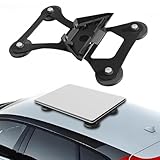
Lymorexan Magnetic Roof Mount (Mini)
Magnetic Mount
$39.98
Amazon price when we checked on Oct 9, 2026
Check today's price on Amazon(opens Amazon in a new tab)Standard Gen 3 dish ($349)
The standard dish delivers faster speeds and handles obstructions better than the Mini, but draws 75 to 100 watts at steady state (150-plus watts during boot-up). If you have a robust solar and battery setup or regularly stay at campgrounds with hookups, the Gen 3 is a solid choice.
Its larger antenna also picks up weaker signals more reliably, which matters in areas where polar-orbit satellite coverage is thinner.
Performance (Gen 3) dish (about $1,999)
The Performance (Gen 3) kit, which replaced the old Flat High Performance dish (since renamed Performance Gen 2), is the rugged permanent-mount option. It delivers internet while driving — useful on Alaska's long highway stretches. At this price point it is overkill for most RVers, but digital nomads who work during transit hours may find it worthwhile.
For a detailed comparison, see our Starlink Mini vs Gen 3 for RV guide.
Which Starlink plan to choose for your Alaska trip
| Plan | Price | Data | Priority | Best for |
|---|---|---|---|---|
| Roam 100GB | $55/mo | 100GB | Roam tier | Weekend trips, light use |
| Roam 300GB | $80/mo | 300GB | Roam tier | Regular streaming, small households |
| Roam Unlimited | $175/mo | Unlimited | Roam tier | Summer road trips, most RVers |
| Local Priority | $55-$280/mo | 50GB-1TB priority data | Highest priority | Remote workers, digital nomads |
For most Alaska RV trips, Roam Unlimited at $175 per month is the right choice. It includes unlimited data, coverage through Canada (part of the same US/Canada region), and the flexibility to pause service after your trip with no penalty.
If you work remotely and cannot afford connectivity drops during peak congestion near Anchorage or Denali, Local Priority (from $55 per month for 50GB of priority data, up to $280 for 1TB) puts you ahead of Roam and Residential users during congestion.
Every Roam plan covers the drive, because Starlink treats the US and Canada as one region. Since July 14, 2026, Roam 100GB and 300GB are domestic-only, so they will not work beyond the US and Canada, but the 1,200 miles of Canada on the way to Alaska are covered. Your dish connects without any configuration changes at the border. For a full breakdown of your options, see best Starlink plan for RV use.
Cold weather and extreme conditions
Alaska weather can be punishing, but Starlink handles it well.
Temperature performance
The dish is rated to operate from minus 30°C (minus 22°F) to 50°C (122°F). Real-world reports from Whitehorse, Yukon at minus 40°C describe "steady connectivity with zero downtime." If you are traveling in shoulder season — May or September — you may encounter freezing overnight temperatures in interior Alaska, but the dish handles this without issues.
The built-in snow melt heater activates automatically when it detects ice or snow accumulation, drawing an extra 20 to 40 watts. Factor this into your power budget if you are traveling in shoulder season. For more on cold-weather performance, see our Starlink cold weather and rain guide.
Wind
The Standard dish is rated to operate in winds of 60 mph and above, per Starlink's specification sheet. Alaska can produce serious gusts, especially along the coast and in mountain passes. Make sure your mount is secure — a flagpole system or adjustable tripod works well because you can lower or stow it in high winds.
Overheating
Unlike the Southwest where thermal shutdowns are a real concern (the dish disconnects at 122°F), Alaska summer temperatures rarely approach the danger zone. Overheating is a non-issue for Alaska RV travel.
Power setup for running Starlink off-grid in Alaska
Power management is the most critical planning detail for an Alaska Starlink setup. Between Tok and Fairbanks, Fairbanks and Prudhoe Bay, you may go days without access to hookups or even fuel stations.
Daily power consumption
| Hardware | Draw (watts) | Daily consumption |
|---|---|---|
| Starlink Mini | 20-40W | 0.5-1 kWh/day |
| Standard Gen 3 | 75-100W | 1.8-2.4 kWh/day |
Recommended setups
For the Starlink Mini (minimum viable):
- 200W solar panels
- 100Ah lithium battery bank
- 12V DC cable or step-up adapter (about $30) to run directly from RV batteries
For the Standard dish:
- 400W+ solar panels
- 200Ah+ lithium battery bank
- 12V DC power adapter (eliminates 10-15% inverter power loss)
The 12V DC adapter is a must-have for Alaska boondocking. Running Starlink directly from your house batteries avoids the efficiency loss of converting 12V DC to 120V AC and back. It saves real watts that add up over multi-day stretches off-grid.

Anker SOLIX C300 (288 Wh)
Power Station
$329.99
Amazon price when we checked on Oct 9, 2026
Check today's price on Amazon(opens Amazon in a new tab)The midnight sun advantage
Alaska's biggest power advantage is daylight. In June and July, you get 18 to 24 hours of sunlight depending on your latitude. A 200W solar panel that might produce 0.8 kWh per day in the Lower 48 can generate 1 to 1.5 kWh per day during Alaska's summer. This makes running the Starlink Mini entirely on solar realistic even without a generator.
For the Dalton Highway and other multi-day remote stretches, carry a portable generator as backup regardless of your solar setup. See our guide to portable power stations for Starlink RV for recommendations, and consider a surge protector to protect your hardware.
Backup connectivity and emergency planning
Starlink should be your primary internet source in Alaska, but you need a backup plan for the stretches where even satellites struggle.
Cellular backup
AT&T has the best Alaska coverage among US carriers, particularly along the Parks Highway corridor between Anchorage and Fairbanks. A prepaid AT&T hotspot gives you redundancy near towns. Pair it with a weBoost signal booster for marginal areas.
GL.iNet GL-XE3000 Puli AX 5G Router (dual SIM, 6400mAh)
Mobile Hotspot
A standalone cellular gateway with its own antennas, dual SIM slots and a 6,400mAh battery - it does the job of a mobile hotspot without draining your phone, and adds dual-WAN failover a hotspot cannot.
$390 – $460
Amazon price when we checked on Oct 9, 2026
Check today's price on Amazon(opens Amazon in a new tab)T-Mobile has no native Alaska coverage — it roams on GCI, Alaska's largest local carrier. Verizon covers about 3.6 percent of the state with sharper dead zones between towns than AT&T.
For a deeper comparison, see Starlink vs cellular hotspot for RV.
Satellite messengers
For true emergencies on the Dalton Highway or other remote stretches, a Garmin inReach or similar satellite messenger provides two-way text communication and SOS capability independent of Starlink. This is non-negotiable safety gear for remote Alaska travel.
Offline preparation
Before entering any remote corridor, download:
- Offline maps (Google Maps, Gaia GPS, or onX Offroad)
- Entertainment (movies, podcasts, audiobooks)
- Work files you might need access to
- Emergency contacts and route information
Treat every departure from a connected town as if you might not have internet for 24 to 48 hours.
Tips for maximizing Starlink performance in Alaska
Use the obstruction checker religiously. Open the Starlink app at every potential campsite before you set up. Five minutes of checking saves hours of frustration with a poorly positioned dish.
Position the dish in a clearing. The Mini's portability is a major advantage here. Use a tripod with a long cable to place the dish up to 30 meters from your RV in the clearest spot available, while your rig stays under trees for shade.
Protect your cables. Alaska wildlife is active. Use 3/4-inch expandable braided sleeving over exposed cables — rodent-repellent versions are available and worth the investment.
Travel with flexible mounting. A flagpole system or adjustable tripod lets you adapt to different campsites. Permanent roof mounts work fine on the highway but limit your positioning options at camp. See our mount comparison guide for options.
Download the Starlink app and familiarize yourself with the obstruction map, speed test, and network statistics tools before your trip. Our Starlink app guide for RV walks through every feature.
Frequently asked questions
Does Starlink work along the entire Alaska Highway
Starlink provides coverage along most of the Alaska Highway through British Columbia, Yukon, and into Alaska. SpaceX has deployed polar-orbit satellites specifically for high-latitude coverage. You may experience brief signal gaps in deep valleys or heavily forested stretches, but overall connectivity is reliable for the full 1,500-mile drive from Dawson Creek, BC to Delta Junction, Alaska.
Which Starlink plan is best for an Alaska RV road trip
The Roam Unlimited plan at $175 per month is the best choice for most Alaska RV trips. It includes unlimited data, covers Canada (part of the US/Canada region), and can be put in Standby Mode ($10 per month) after your trip. If you work remotely and need priority during congested periods near popular areas, look at Local Priority, which starts at $55 per month for 50GB of priority data.
Does Starlink work in extreme cold temperatures in Alaska
Yes. The dish is rated to minus 30°C (minus 22°F) and users in Yukon and interior Alaska report reliable operation even at minus 40°F. The built-in heater automatically melts snow and ice, drawing 20 to 40 extra watts when active. Cold weather is a non-issue for Starlink in Alaska.
Can I use the Starlink Mini for an Alaska RV trip
The Mini is actually the preferred choice for Alaska RV travel. At about 2.4 pounds and 20 to 40 watts of power draw, it is ideal for boondocking in remote areas. Speeds run 60 to 90 Mbps — more than enough for streaming, video calls, and remote work. The standard dish handles obstructions better, but the Mini's portability and power efficiency make it the better overall choice for Alaska.
Do I need backup internet besides Starlink for Alaska
Yes. While Starlink covers most of Alaska, carry an AT&T cellular plan as backup near towns and a Garmin inReach or similar satellite messenger for emergencies in remote areas. On highways like the Dalton, Starlink may be your only internet option — and even it can have intermittent gaps at extreme northern latitudes.
How much solar power do I need to run Starlink while boondocking in Alaska
For the Starlink Mini, a 200-watt solar panel and 100Ah lithium battery is sufficient, especially during Alaska's long summer days with 18 to 24 hours of daylight. The standard dish needs 400-plus watts of solar and 200Ah of battery capacity. Always use a 12V DC adapter to run Starlink directly from your batteries — it saves 10 to 15 percent power over using an inverter.
What to do next
Now that you know how to stay connected on an Alaska RV road trip, here are the next steps:
- Choose your plan: Best Starlink plan for RV use in 2026: Mobile vs Residential
- Pick your hardware: Starlink Mini vs Gen 3 for RV
- Mount your dish: 7 best no-drill Starlink RV mounts to buy in 2026 (tested and ranked)
- Power off-grid: Best portable power stations for Starlink RV in 2026
- Protect your gear: Best Starlink Surge Protector and UPS Backup for RVs (2026)
Related reading
- Best Starlink plan for RV use in 2026: Mobile vs Residential
- Starlink Mini vs Gen 3 for RV
- 7 best no-drill Starlink RV mounts to buy in 2026 (tested and ranked)
- Best portable power stations for Starlink RV in 2026
- Starlink for snowbird RVers: US-Canada cross-border guide
- Starlink in cold weather and rain: RV performance tips
- Starlink RV boondocking guide
- Starlink vs cellular hotspot for RV: which is better
Affiliate disclosure
This page may include affiliate links. If you purchase through them, we may earn a commission at no extra cost to you.